The GST ecosystem in India continues to evolve with regular updates aimed at improving compliance and efficiency. One such important update has been introduced by GSTN regarding the Invoice Management System (IMS), along with a newly launched IMS Offline Tool. This advisory directly impacts how businesses manage supplier invoices, debit notes, and credit notes.
If you are involved in GST Return Filing Ahmedabad or using a GST Registration Service, understanding this update is essential to ensure accurate Input Tax Credit (ITC) and avoid mismatches.
What is the Invoice Management System (IMS)?
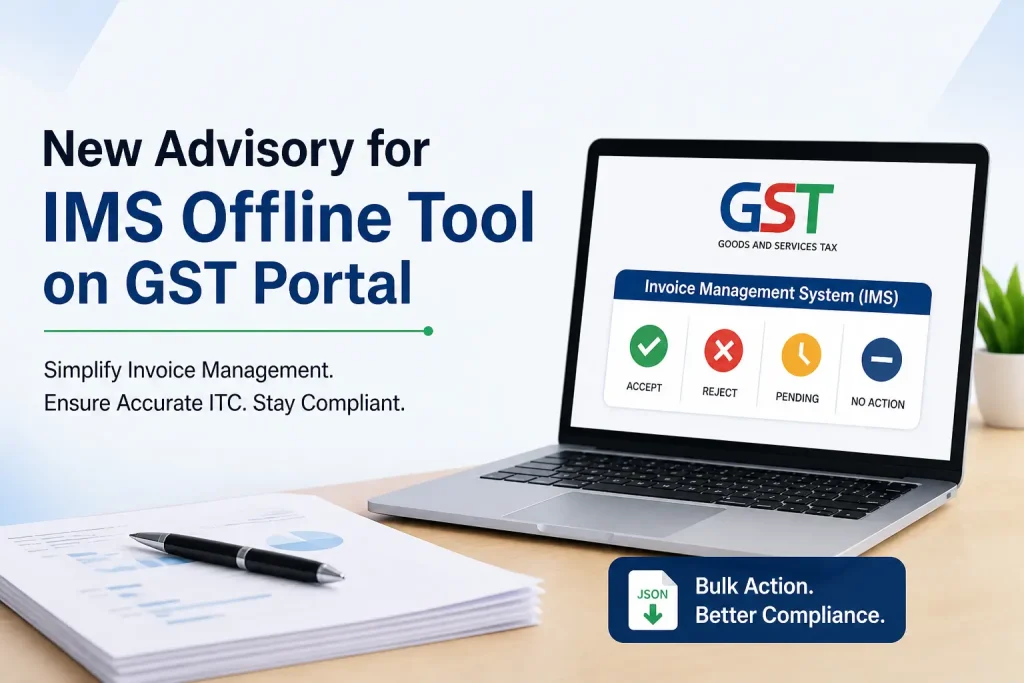
The Invoice Management System (IMS) is a functionality on the GST portal that allows taxpayers to take action on invoices uploaded by their suppliers through GSTR-1, GSTR-1A, or IFF.
With IMS, you can:
- Accept invoices
- Reject invoices
- Keep invoices pending
- Take no action
This system has been applicable from the October 2024 tax period, making it a crucial part of GST compliance.
IMS plays a key role in ensuring that only valid invoices are considered for ITC claims, helping businesses maintain clean and accurate records.
Introduction to the IMS Offline Tool
To further simplify invoice management, GSTN has now introduced an Excel-based IMS Offline Tool. This tool is especially beneficial for businesses dealing with a large volume of invoices.
Instead of taking action on invoices one by one on the portal, the offline tool allows bulk processing in a structured and efficient way.
Key Features of IMS Offline Tool:
- Download supplier invoices in JSON format
- Import data into the Excel utility
- Take bulk actions (Accept / Reject / Pending)
- Validate invoice data
- Generate a JSON file for upload
- Upload updated data back to the GST portal
This tool makes the entire process faster, reduces manual effort, and minimizes the chances of errors.
Step-by-Step Process to Use the IMS Offline Tool
To help you get started, here is a simple step-by-step guide:
Step 1: Download the Tool
- Visit the GST portal: www.gst.gov.in
- Go to Downloads → Offline Tools → IMS Offline Tool
- Download and extract the ZIP file
- Enable macros in the Excel file
Step 2: Download IMS Data from Portal
- Log in to the GST portal
- Navigate to Services → Returns → IMS Dashboard → Offline
- Click on “Generate JSON File to Download”
- Save the JSON file to your system
Step 3: Import JSON into Offline Tool
- Open the Excel utility
- Click on “Open Downloaded IMS JSON File”
- All invoice data will be auto-populated
Now, you can:
- Accept, Reject, or Keep Pending invoices
- Add remarks if required
- Click on “Validate Sheet” to check for errors
Step 4: Generate JSON and Upload
- Click on “Generate JSON File to Upload”
- Go back to GST portal → IMS Dashboard → Offline
- Upload the generated JSON file
If any issues arise, the portal will generate an error file, which can be corrected using the same tool.
Important Points to Remember
While using the IMS Offline Tool, keep these important points in mind:
- The tool follows the same validations as the online IMS dashboard
- If no changes are made, the generated JSON file will be empty
- Filters used in Excel may reset during validation
- Error reports will be generated for incorrect data
- Uploaded records are incremental and may overwrite earlier entries for the same GSTIN
Being aware of these points will help you avoid common mistakes and ensure smooth processing.
Why This Update Matters for Your Business?
The introduction of the IMS Offline Tool is a significant step toward simplifying GST compliance, especially for businesses handling bulk transactions.
Key Benefits:
- Accurate ITC Claims
By reviewing and accepting only valid invoices, businesses can ensure correct Input Tax Credit reflection. - Reduced Mismatches
Timely action on invoices helps avoid discrepancies between supplier and recipient data. - Improved Efficiency
Bulk processing saves time compared to manual handling on the portal. - Better Compliance
Using the tool regularly ensures you stay compliant with GST regulations.
Whether you are a small business or a large enterprise, integrating this tool into your workflow is highly recommended.
What You Should Do Next?
To stay compliant and avoid future complications:
- Start using the IMS Offline Tool regularly
- Review supplier invoices on time
- Ensure proper action (Accept/Reject/Pending) is taken
- Monitor error reports and correct them promptly
If you are already using GST Return Filing Ahmedabad services, this tool will further streamline your compliance process. Additionally, businesses opting for GST Registration Service can benefit from a more structured and accurate GST workflow.
Need Professional Assistance?
Understanding and implementing new GST updates can sometimes be complex. If you need help with:
- IMS Offline Tool setup
- GST return filing
- Invoice reconciliation
- GST compliance management
The team at DP Tax Experts is here to assist you with expert guidance and end-to-end support.
Conclusion
The new IMS Offline Tool introduced by GSTN is a powerful addition to the GST compliance framework. It simplifies invoice management, improves accuracy, and helps businesses stay compliant with ease.
By adopting this tool and taking timely action on invoices, you can ensure smooth GST operations, accurate ITC claims, and hassle-free return filing.